0 to 1 Design
Local Artist Support
AI for Engagement
[2023]
Overview
During a trip to my hometown in South Korea, I stopped by Busan’s Art Street and found it was different from I'd remembered. That visit made me curious about how digital tools could support this place for the local artists and visitors.
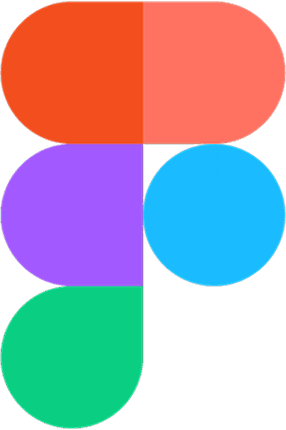
With that in mind, I designed ArtStreet with an AI-powered feature that helps people experience the offline art market in a more interactive and engaging way.
My Role
Research, Conceptualization, Visual Design, Prototyping, User Testing
Duration
May - July (3 months)
Prototype
Introduction
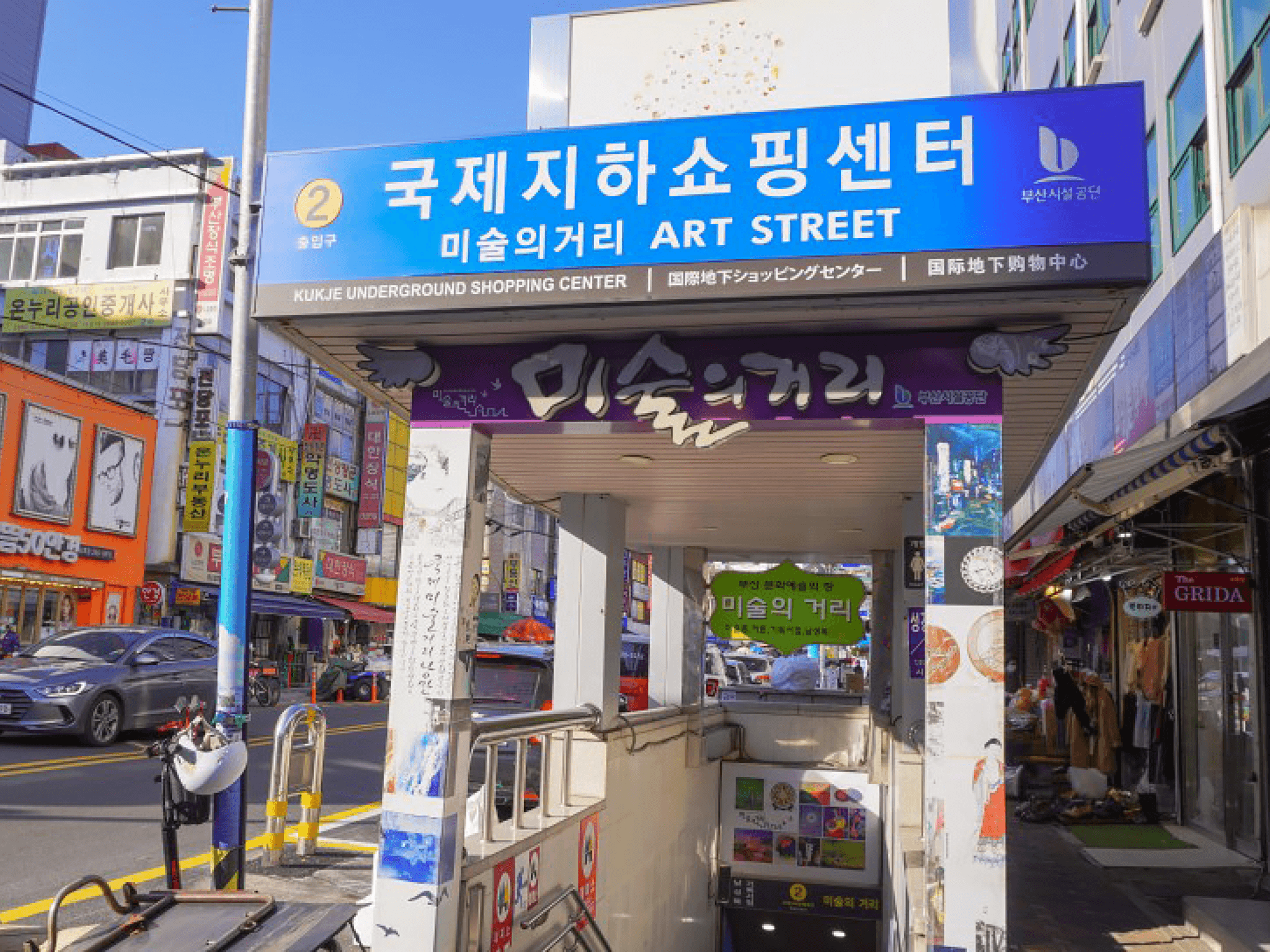
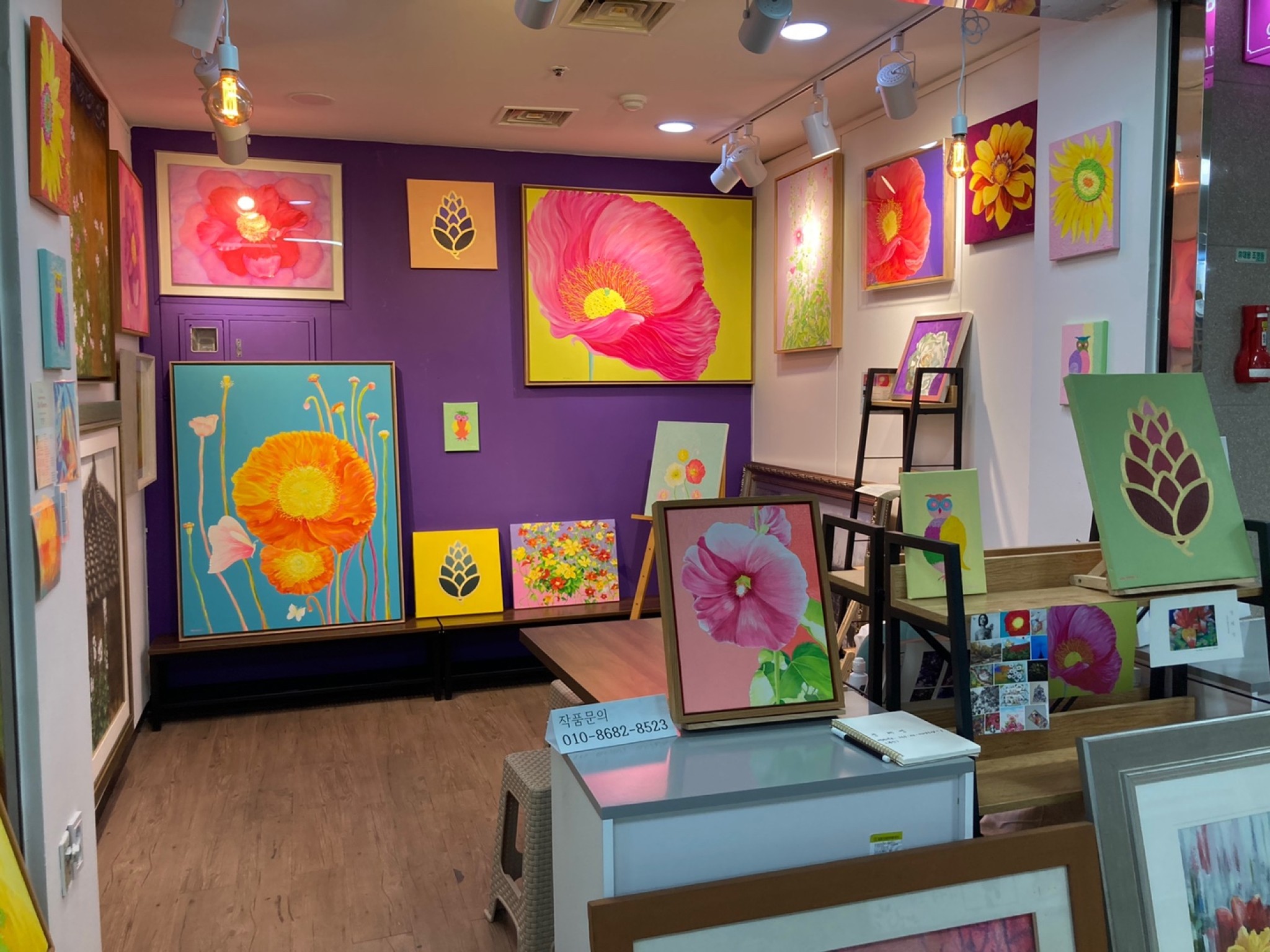
In my hometown Busan, there’s a little street full of art.
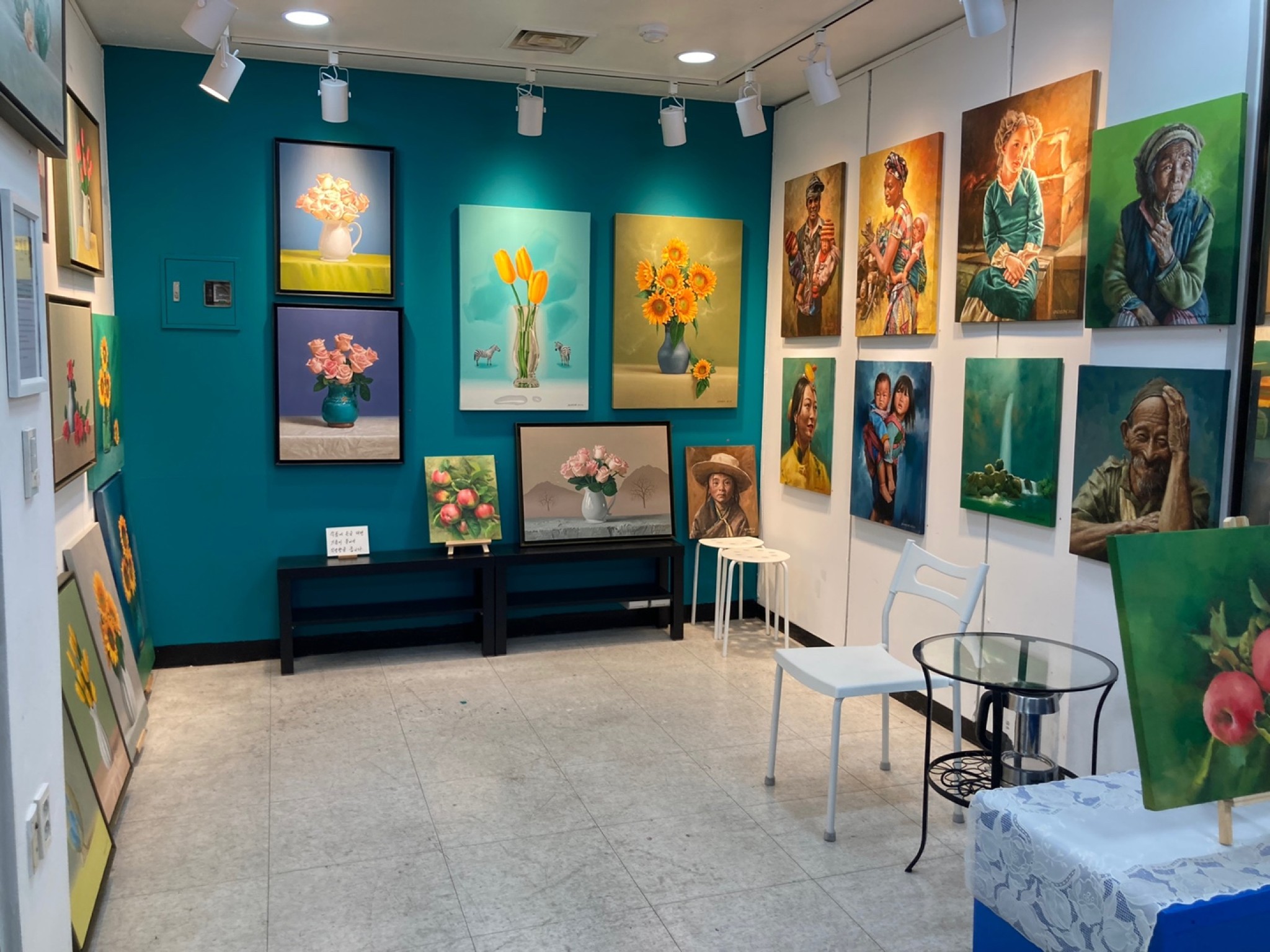
It’s founded in 2005 by the Busan Street of Arts group. This unique underground place provides affordable booths for Busan artists to showcase and sell their work, supporting the city’s cultural and artistic growth.
The Problem
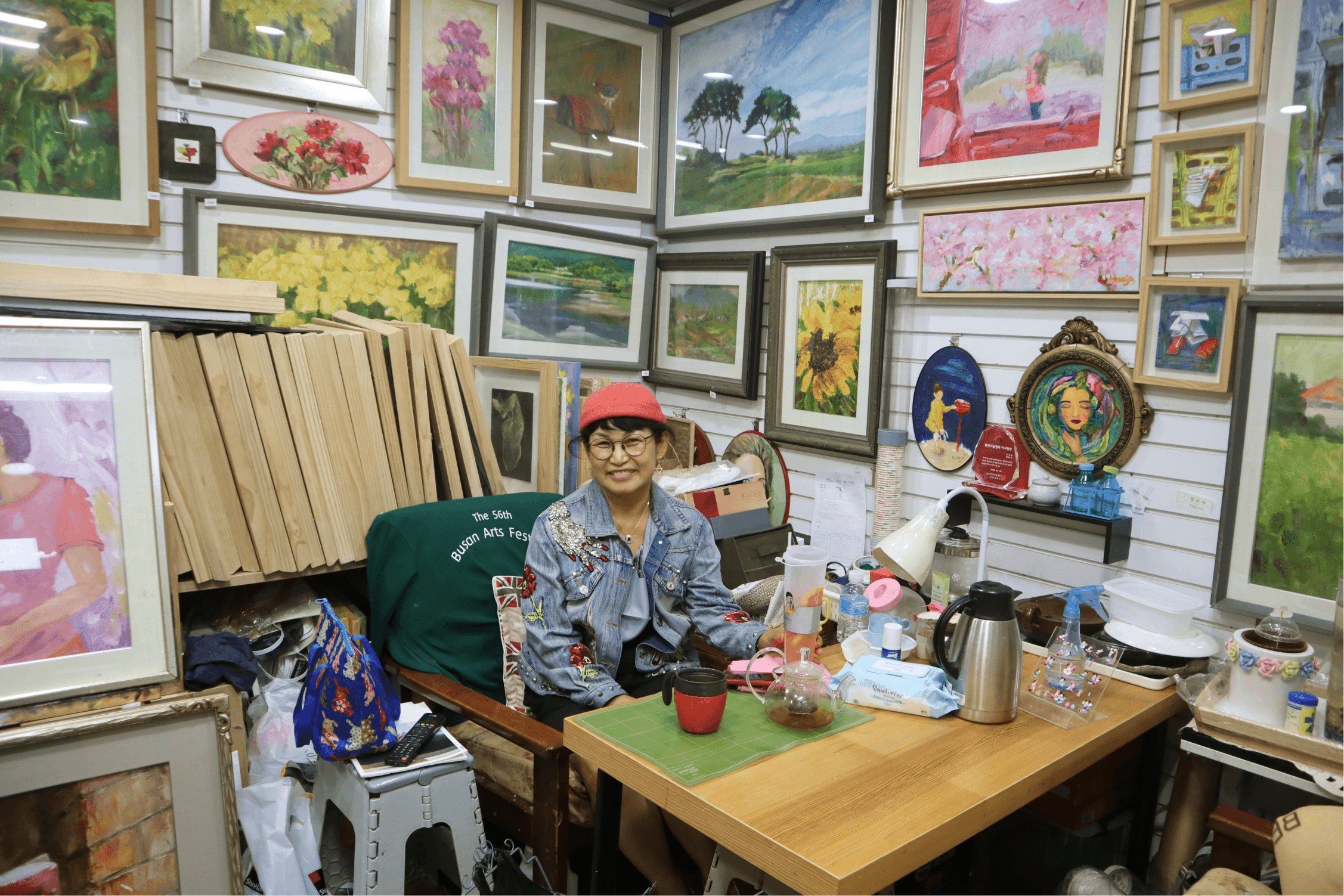
But lately, fewer people visit since artists are often absent.
I talked to 36 visitors and discovered some problems with the offline experience. Out of 120 booths, only 5 to 7 had artists present during their visit. Here’s what they shared.
92%
Said about 80% of artists used to be on-site, but now it’s not as engaging.
86%
Wished artists would be able to answer questions and explain their paintings on site.
63%
Couldn’t buy a painting they liked because the artists were absent during their visit.
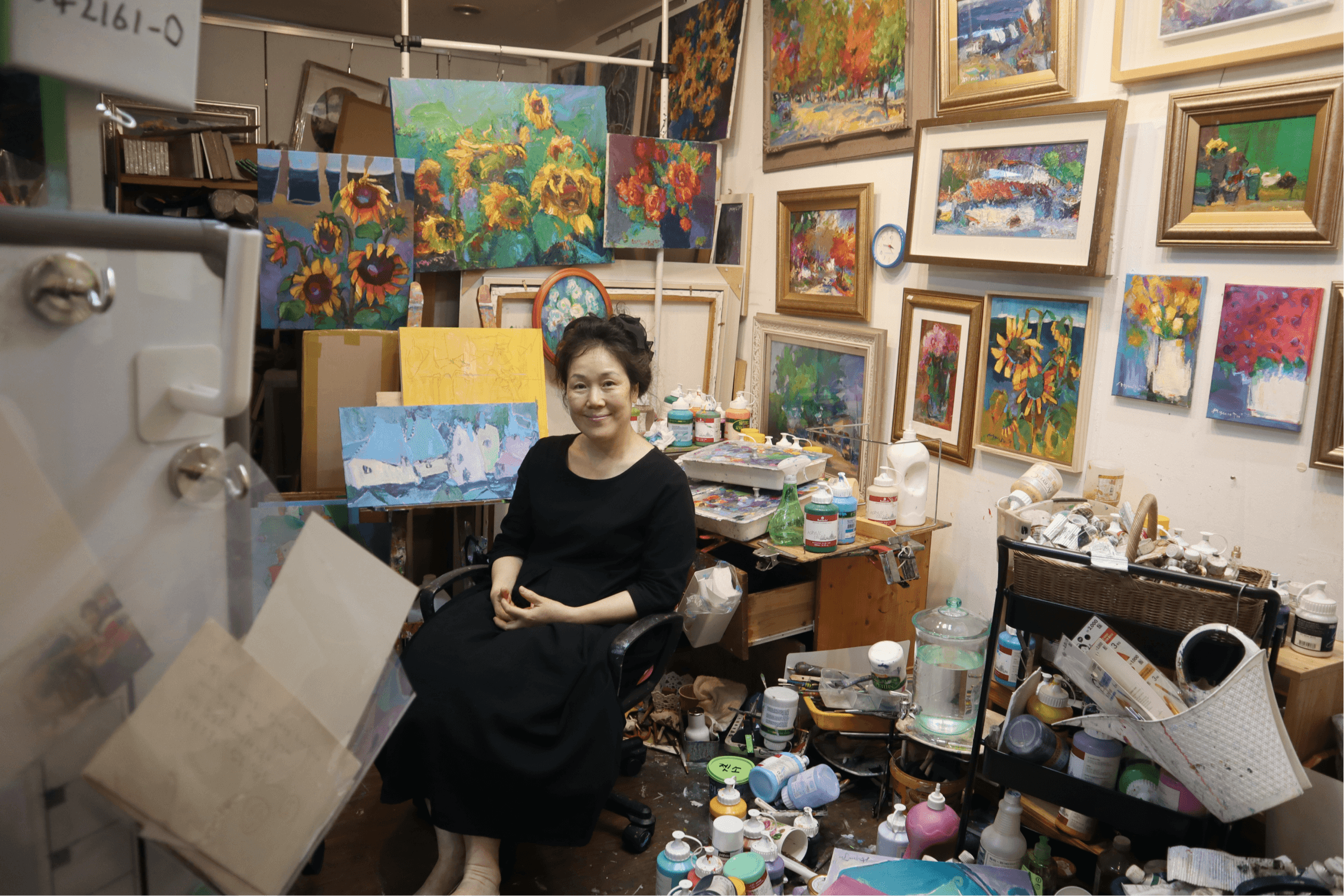
Meanwhile, the artists also struggled to promote their work.
They couldn’t stay at their booths all day because they had to take on side jobs to make a living. This meant they missed chances to meet visitors and showcase their work in person.
Key Insights
A missing link between artists and visitors weakened engagement.
Looking at both visitors’ and artists’ perspectives, I noticed patterns in how these struggles were connected. By synthesizing the findings, I reframed them into four key insights that revealed why Art Street was losing its charm.
Lack of artwork Info
Visitors often struggled to interpret the paintings because there were no labels/descriptions on paintings.
Low buying motivation
When artists weren’t on-site, they felt less inclined to wait around or make a purchase, resulting in fewer spontaneous sales.
Artists struggled to promote their work
Artists promoted their work on multiple social media but found it hard to maintain connections with Art Street visitors.
Design Challenge
How might we design a tool that inspires visitors and empowers artists to stay connected beyond the limits of the physical booths?
To guide my design, I established this principle with clear goals to bridge the gap between visitors and artists.
Competitor & Feature Research
To design smarter, I looked at how others solved similar challenges.
I audited museum apps to learn how visitors engage with art, and messenger apps to explore features that bridge communication gaps.
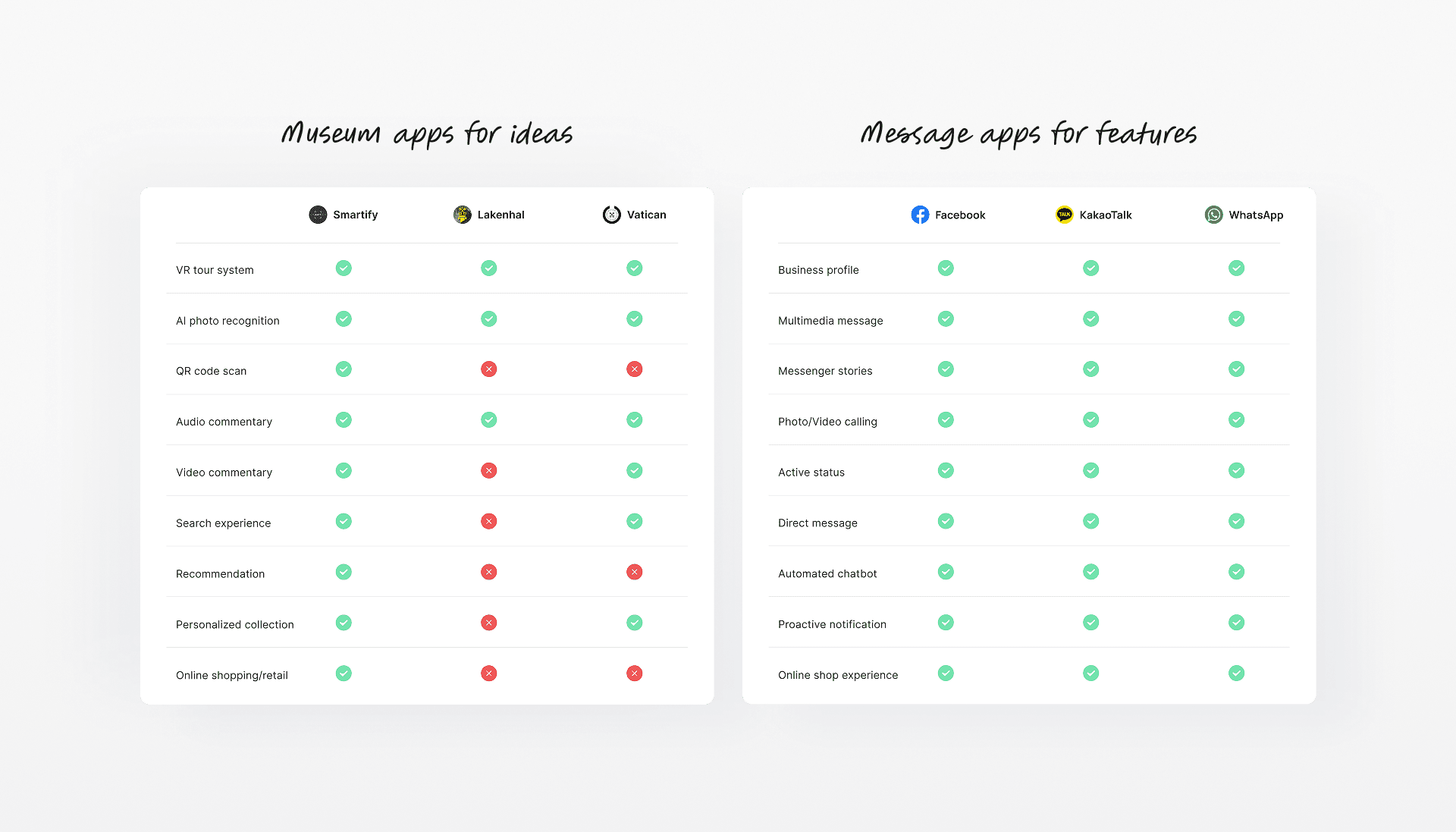
Prioritizing ideas that would make the biggest impact for visitors first.
I focused on features that could solve the visitors’ problems first, because if their experience gets better, artists naturally benefit too. More interest, more questions, and more chances to connect.
AI photo recognition tool
Lets visitors scan paintings to instantly discover details, making their experience more engaging and informative.
Private chat service
Helps visitors connect with absent artists to ask questions or make purchases anytime.
Personalized art collection system
Allows visitors to save favourite paintings and artists, encouraging them to return as potential buyers.
Conceptualization
Merging museum tech + chat: the visitor journey at a glance
I created a task flow to keep the process intuitive. From signing up and setting a user type to scanning paintings and messaging artists, each step reduces friction between discovering art and connecting with artists.
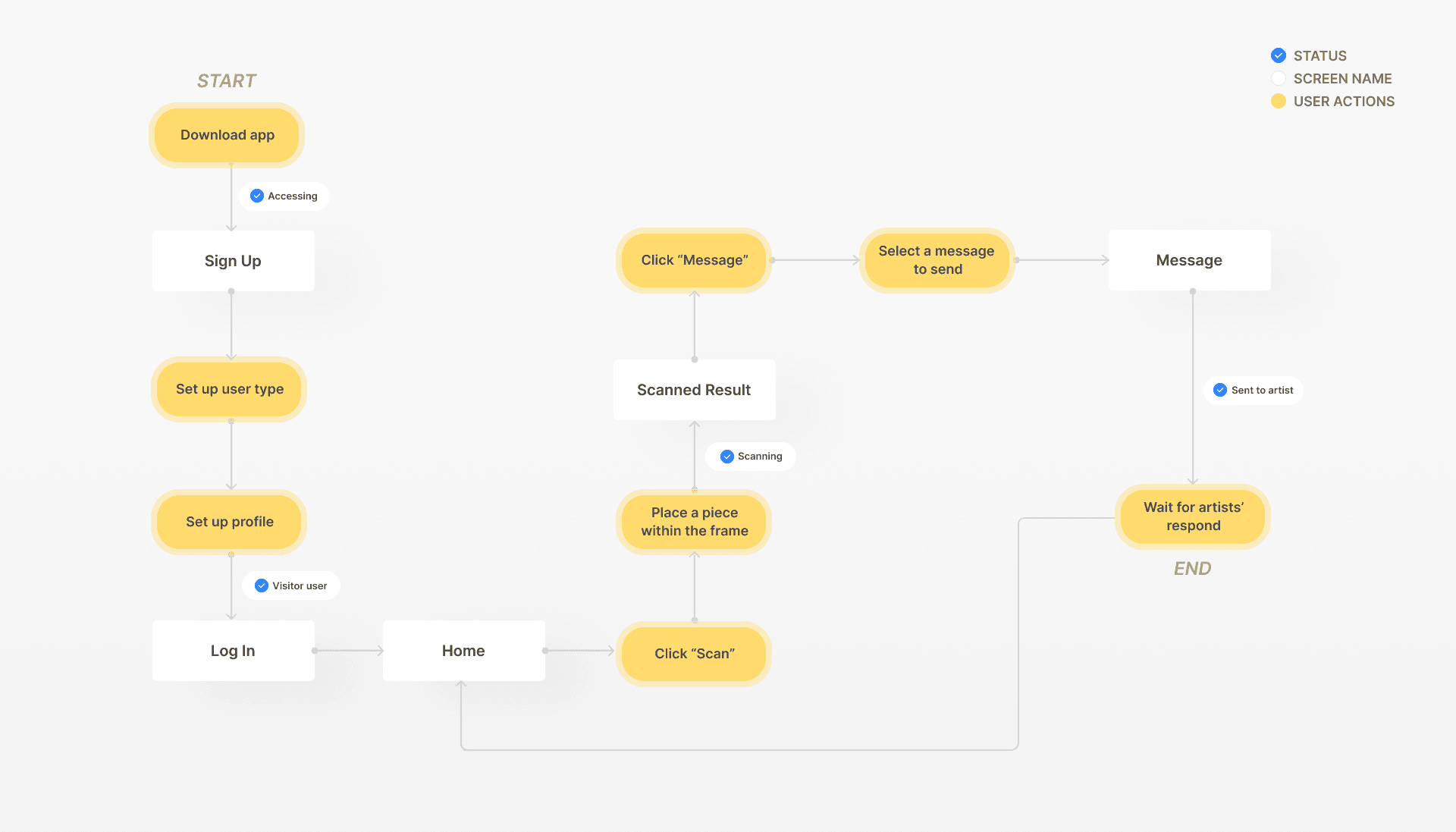
Let’s picture how the AI flow works in the prototype!
This allows visitors to quickly explore painting details and reach out to artists for questions or purchases, while artists can stay connected with potential buyers even when they’re not at their booths.
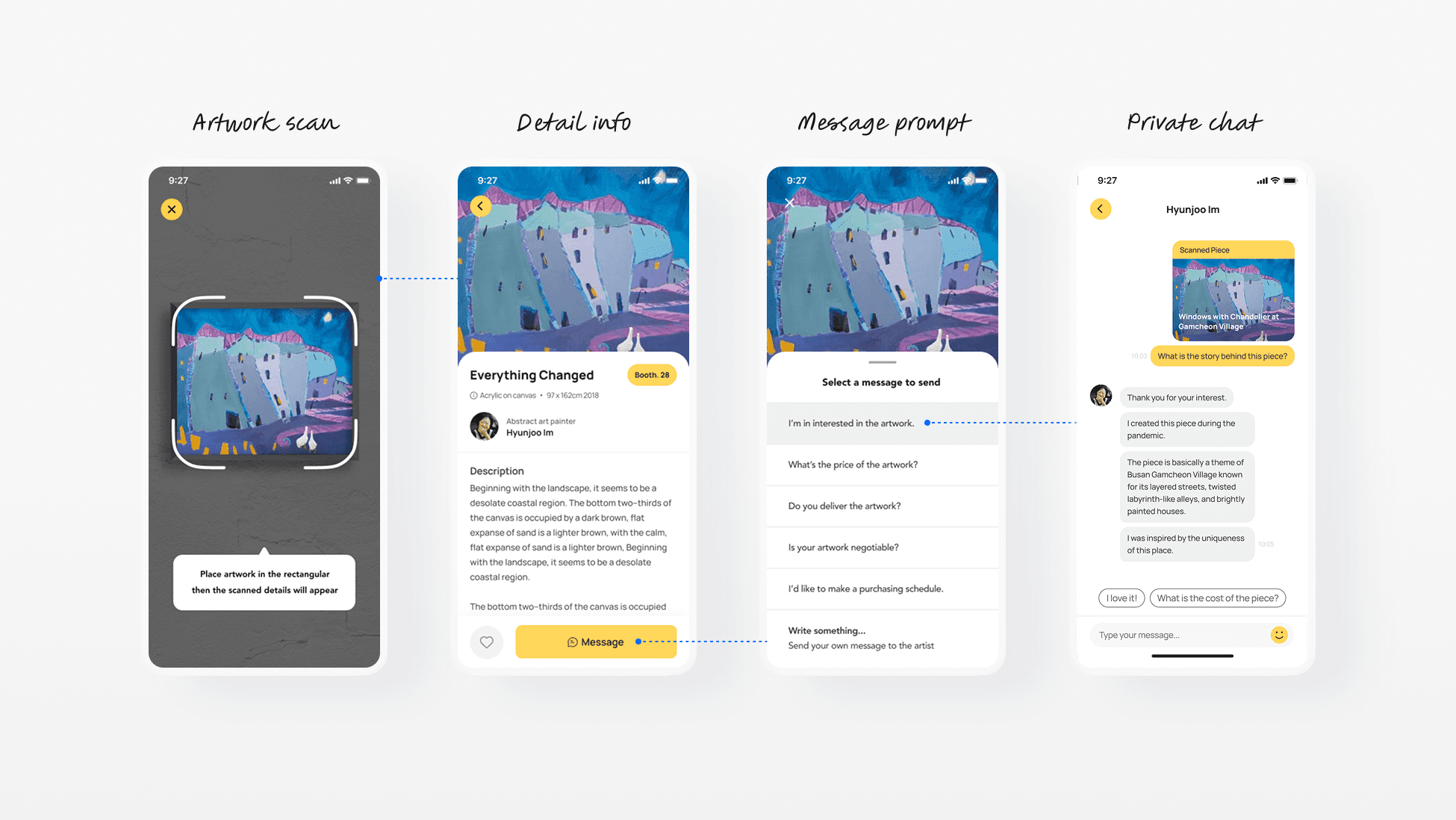
[Initial prototype version]
Usability Testing Result
What the participants struggled with most?
I tested the prototype with 4 visitors, asking them to sign up, browse paintings, add favourites, find artist and booth info, and message artists about specific pieces.
Usability
Cluttered sidebar navigation and inconsistent layouts made browsing feel disjointed.
Accessibility
Low text contrast, unbalanced typography, and cramped box layouts made scrolling difficult.
Hierarchy
Poor menu categorization and unorganized home layout made it hard to find important content.
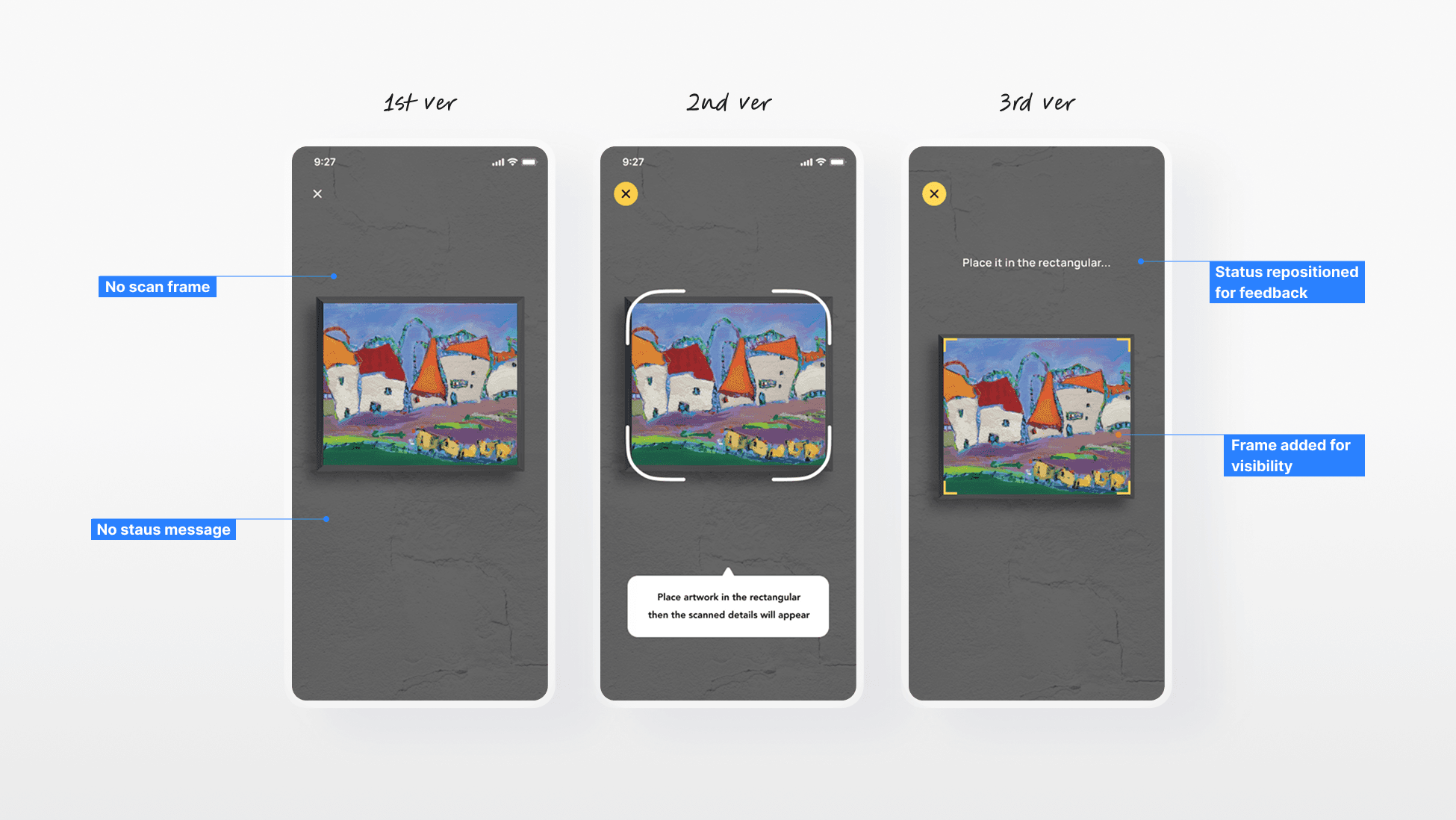
Design Iteration for Main Flow
Here's how the initial prototype enhanced afterwards.
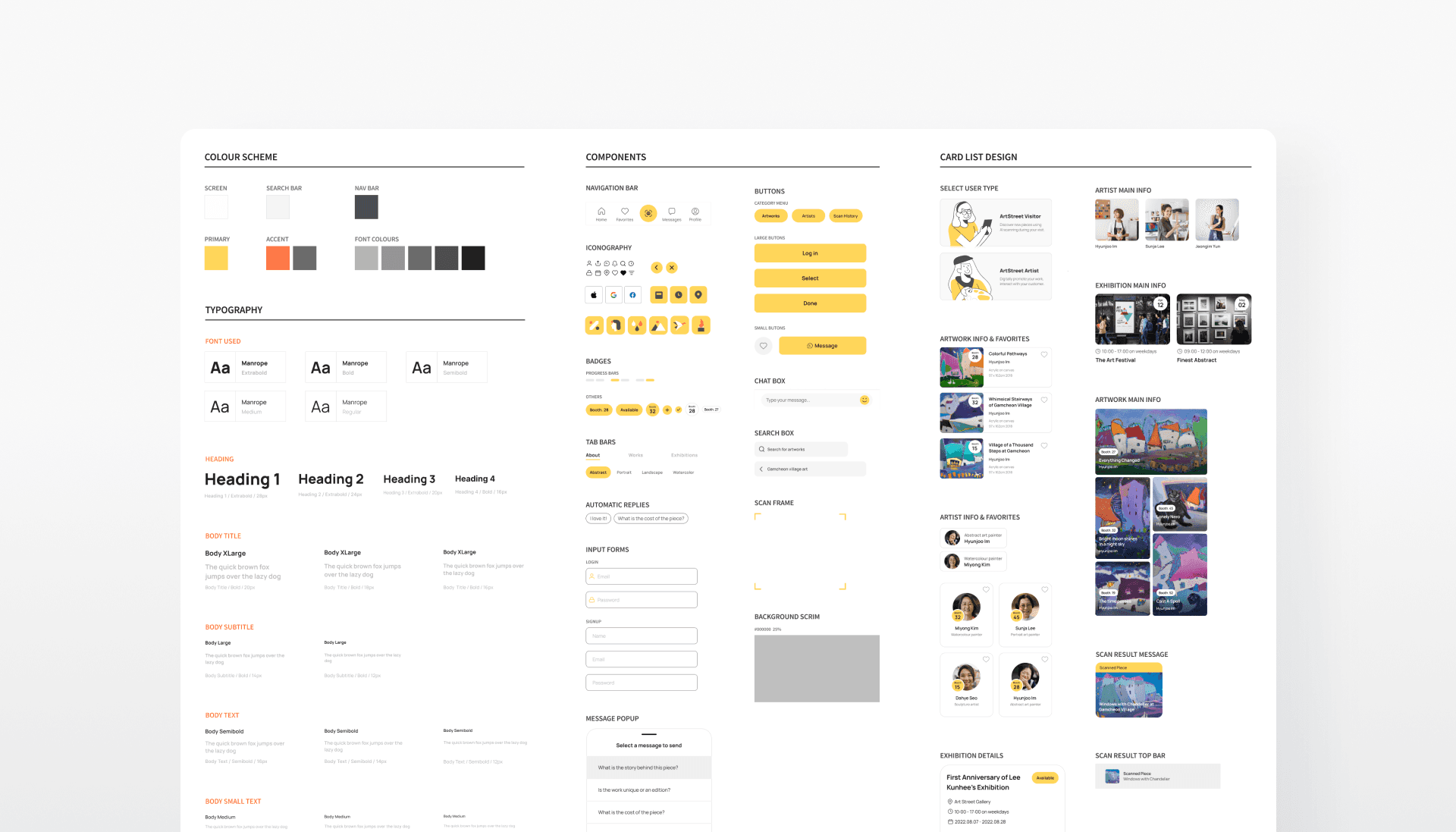
Style Guide
Bringing Art Street’s warmth into the UI
Midway through prototyping, I created a style guide inspired by the space itself. The colors reflect the vibrant, art-filled energy I felt while walking through the place.
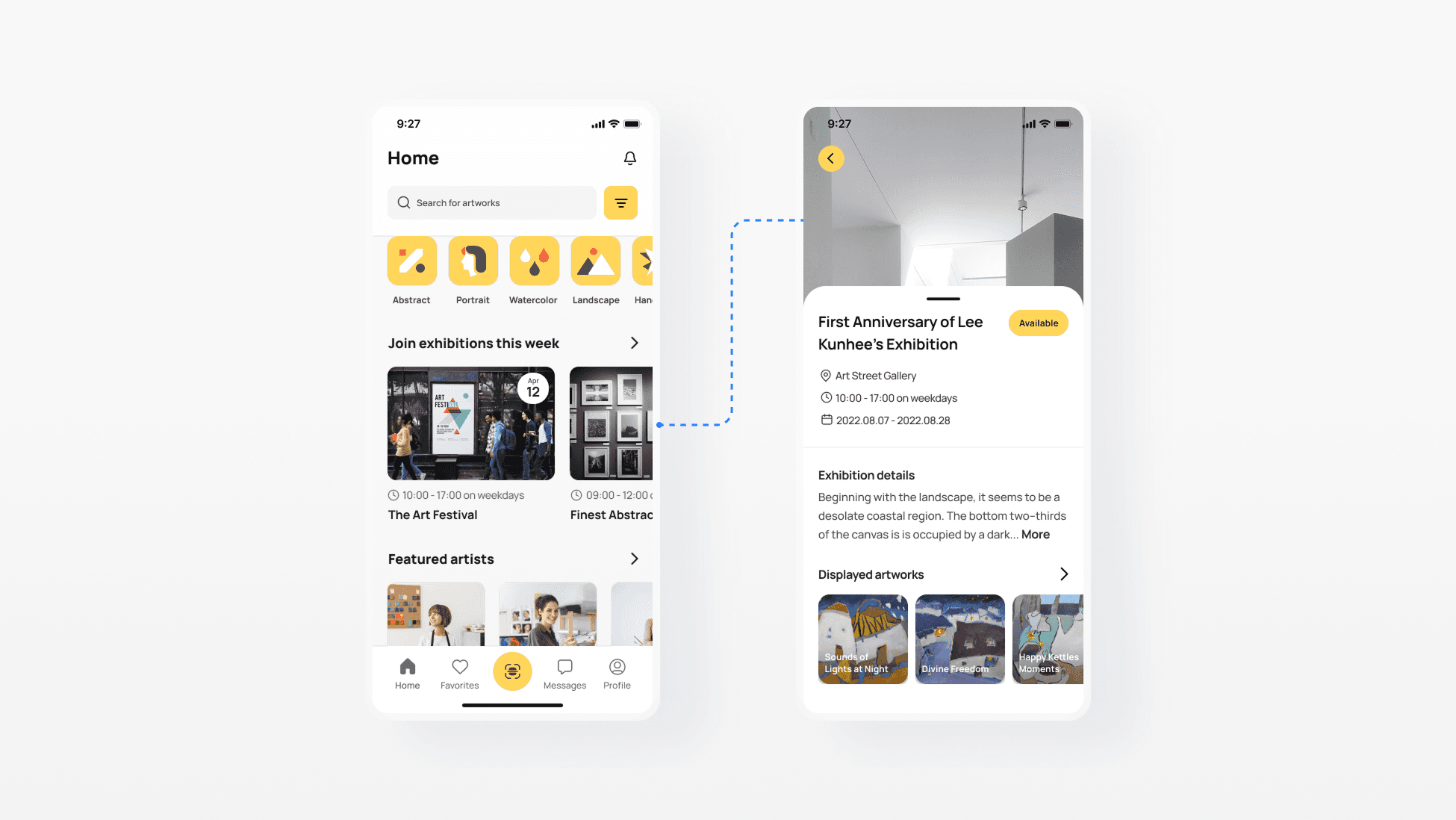
Quick access to ArtStreet news
Visitors can see the latest shows, trending art, and featured artists anytime. Easy updates help them stay interested and come back.
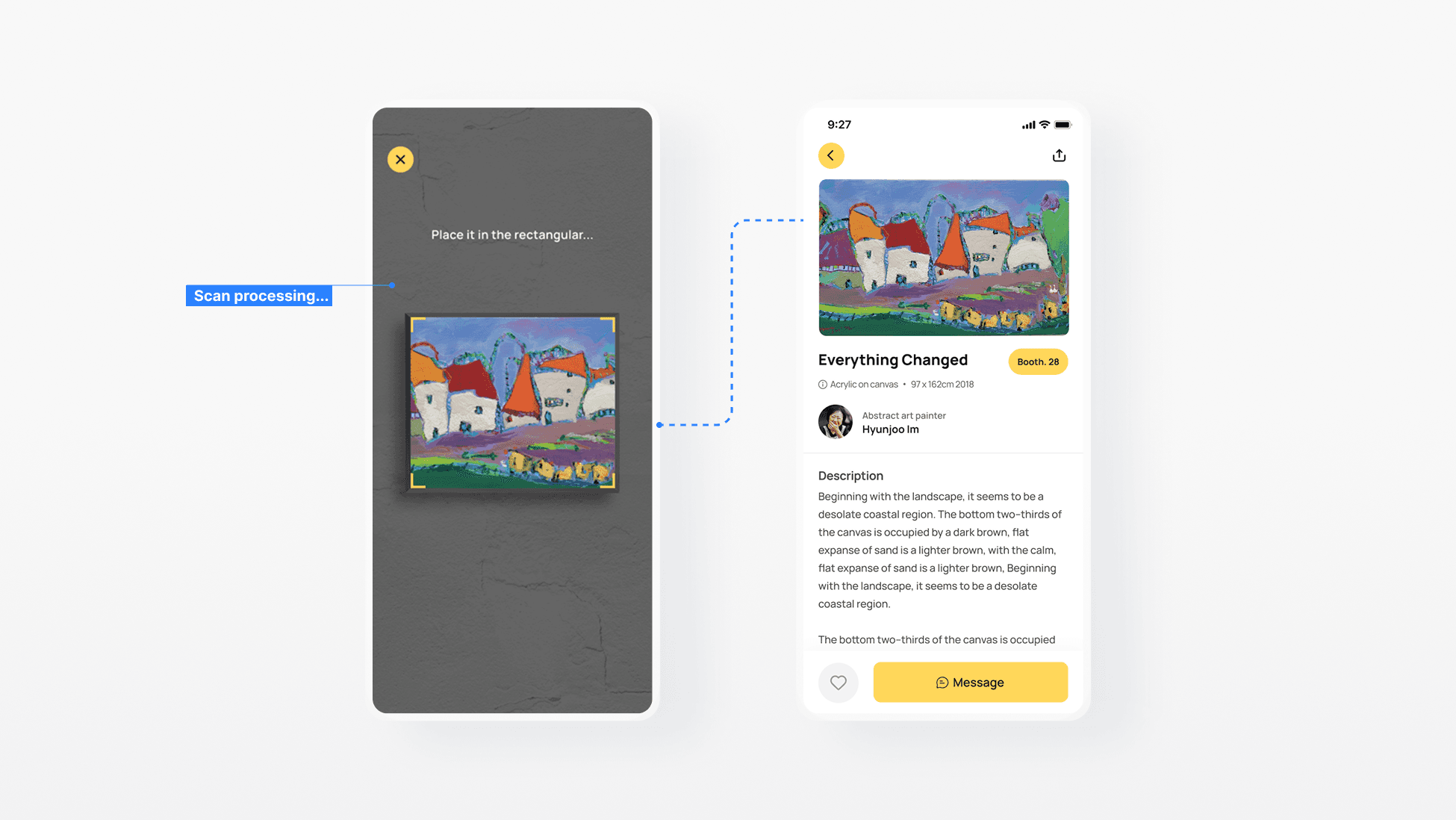
Scan artworks in-store and uncover more stories
The AI photo recognition tool helps visitors appreciate each painting more deeply by revealing its story, while giving artists greater exposure to potential buyers.
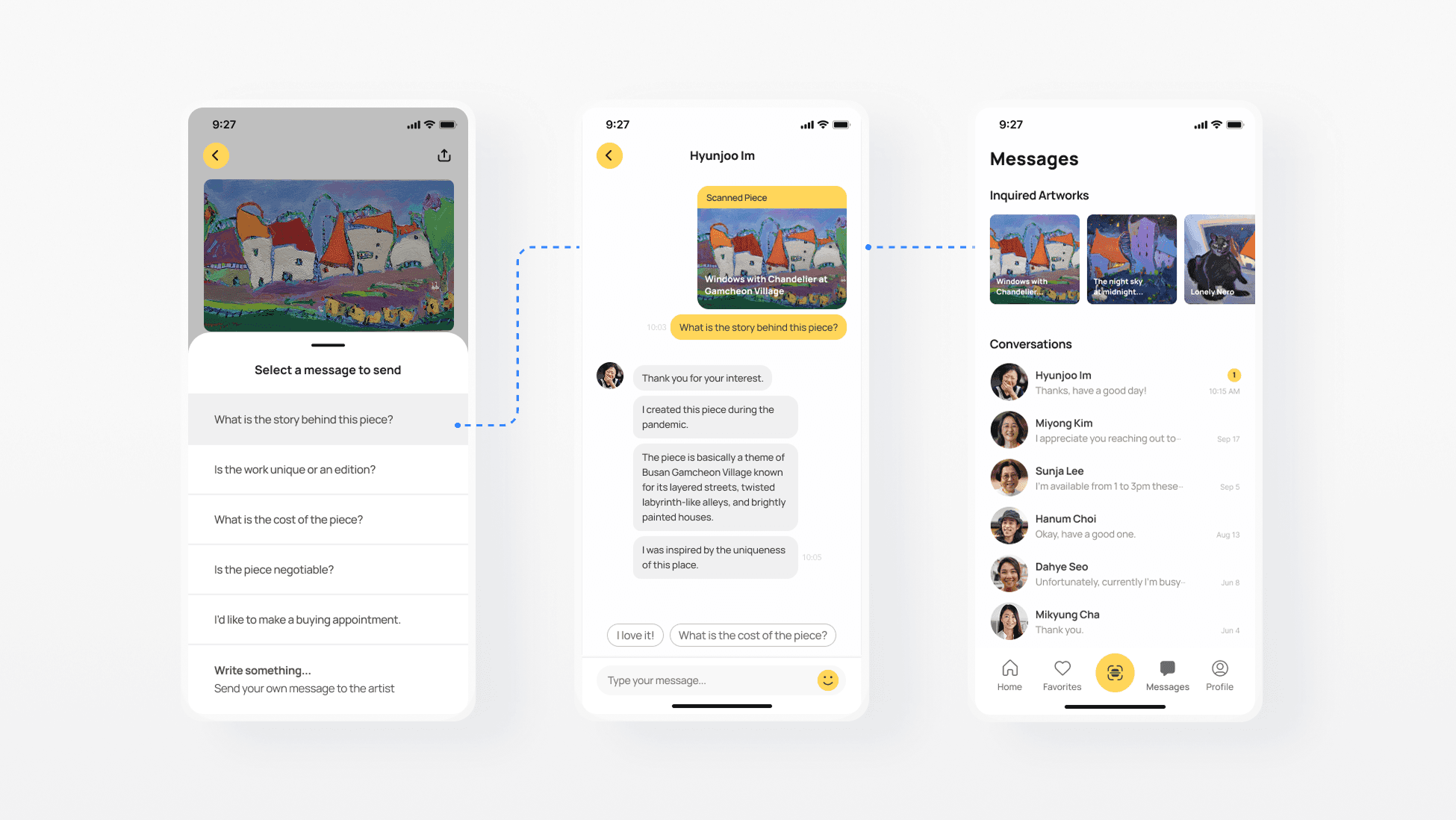
Chat with artists even when they’re away
Even if artists aren’t there, visitors can message them after scanning a painting to ask or buy, helping artists stay connected and sell more.
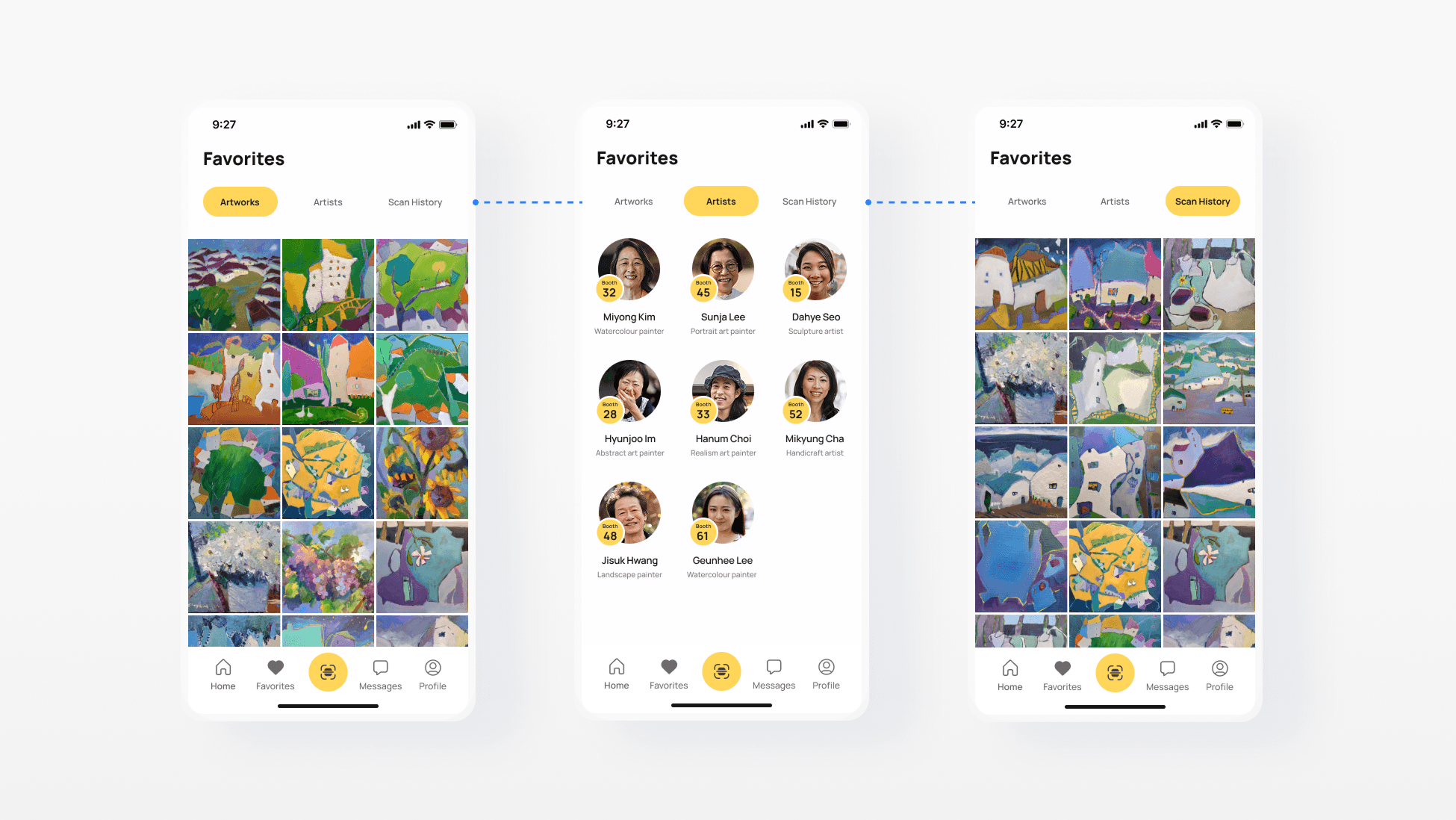
Save and revisit favourite art
Visitors can save artworks or artists they like into a personal collection. This makes it easy to come back later, stay inspired, and even reach out when they’re ready to buy.
Outcome
While this project started as a simple landing page redesign, it became the foundation for strengthening the company’s brand. It has set the stage for consistent, scalable web experiences across the organization.
4/5
Visitors appreciated deeper context
They said learning the background of each painting made their visit more engaging and memorable.
5/5
Artists welcomed chat support
They felt the chat feature would help maintain visitor connections and increase selling opportunities.
Signing Off
What I learned
The biggest challenge was defining a clear, manageable scope within the timeline. Early research felt abstract, leading to wasted time restarting. I learned the importance of setting concrete goals and iterating often. Additionally, testing and refinement helped me correct mistakes and understand the product more deeply from a user’s perspective.